Imagine dropping someone from the 1900s into our world. The daily grind looks different, but are our brains keeping up? That’s the core challenge of modern cognitive design: how to present this information explosion without frying people’s minds.
To navigate this information overload, we’ll delve into concepts like cognitive load, mental interaction cost, mental models, and calm technology. By understanding these fundamentals, we can create intuitive experiences that simplify the user experience and make interactions with technology more efficient, even in a chaotic information environment.
The spectrum of human cognition

Understanding human cognition requires a holistic approach, including perception, attention, memory, language, reasoning, emotions, and consciousness. These elements form the foundation of effective and intuitive design.
From stimulus to perception
Perception begins with a stimulus in a sensory organ, converted by the senses into neural activity processed by the brain. This initial activation, called sensation, leads to the creation of a mental image of the original stimulus.
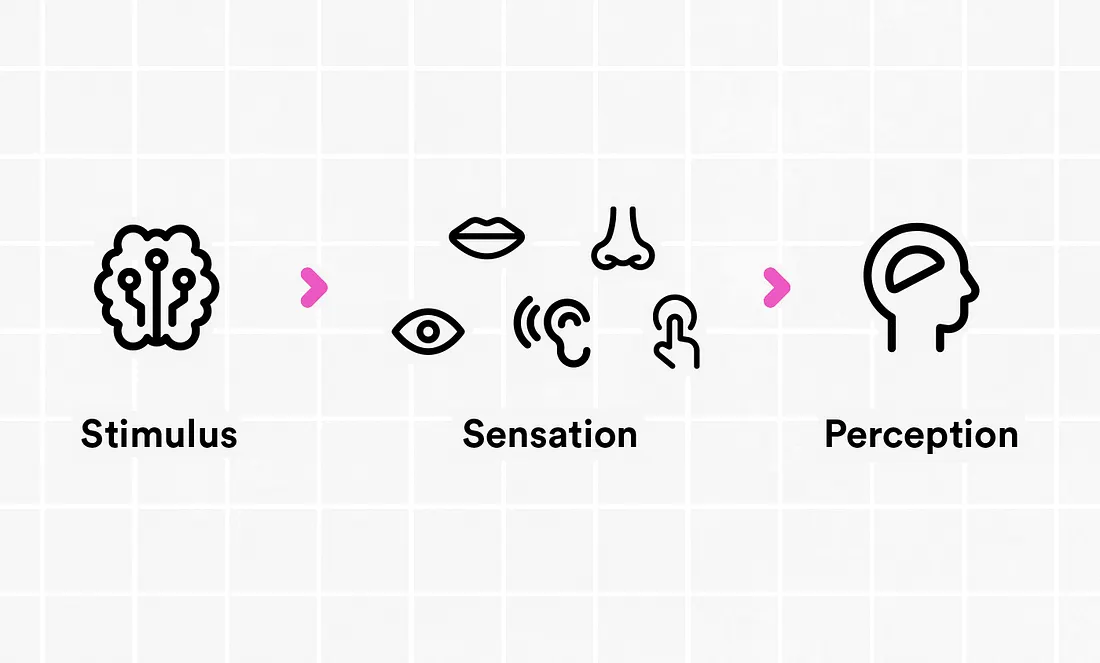
For example, when people see a red light while driving, their eyes spot the red light (stimulus), their visual system processes it and sends signals to their brain (sensation), and then their brain figures out that the red light means they need to stop (perception). By understanding this process, user experience designers can create interfaces that fit how people naturally see and understand things, making them easier to use.
Bottom-up and Top-down processing
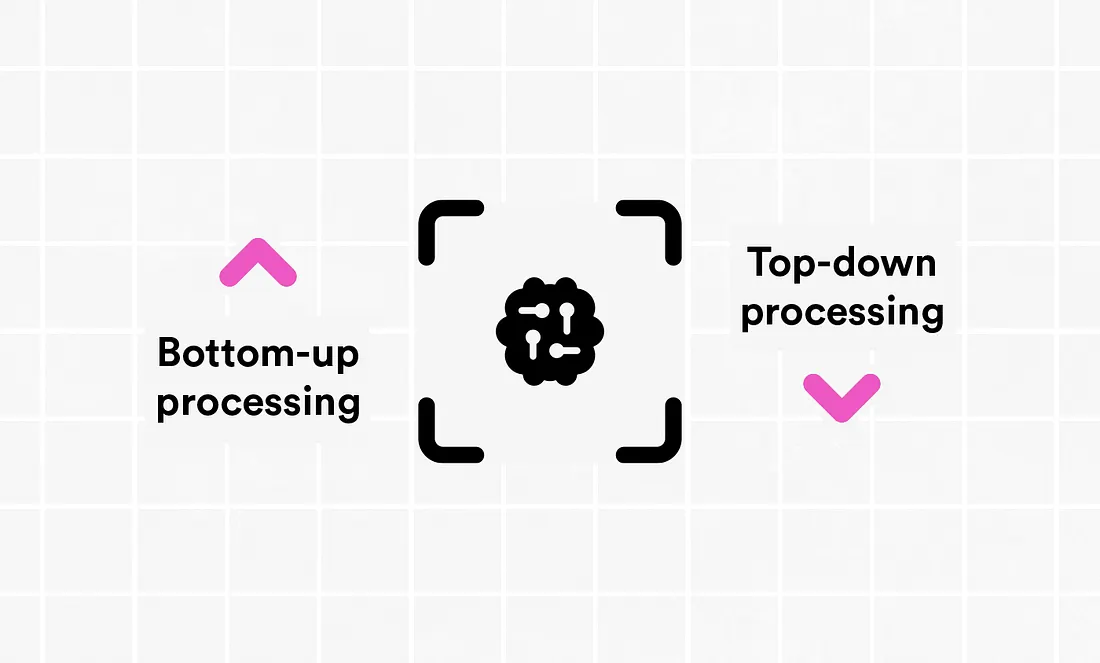
Perception also involves both bottom-up and top-down processing. Bottom-Up Processing occurs when stimuli influence perception without preconceived ideas, driven purely by data and sensory input. For example, when people touch a hot stove, their sensory receptors send an urgent “SOS” to their brain, leading them to perceive pain and yank their hand away faster than a cat avoiding a bath.
Top-Down Processing happens when previous knowledge and expectations influence perception, driven by concepts and experiences. For example, if you see a partially obscured sign but can still read it because you recognize the context, that’s top-down processing at work.
Great design strikes a balance! It should be easy for beginners to figure out (bottom-up), but also work well for people who already know the system (top-down). By considering both these things, we can create interfaces that are effective and enjoyable for everyone.
Attention, memory, and conceptual models
Imagine a fitness app that sends a notification at 3 AM with the message:
“Time to get up and exercise! Click here to start your workout.”
This notification is poorly timed, disrupts the user’s sleep, and contains vague instructions that fail to provide clear next steps. It also doesn’t consider the user’s motivation, or their physical state at the time. These notifications can end up being annoying, confusing and unhelpful, which can lead to people using the app less and trusting it less.
In this era of data overload, understanding and minimizing mental interaction cost is vital. This cost refers to the cognitive effort required to interact with a system considering timing, clarity, and user context. It can be divided into three components: attention, memory, and conceptual models.
Attention: Related to the visibility and discovery of key elements.
Memory: Involves maintaining consistent and recognizable interaction patterns.
Conceptual models: Focus on creating associations and cues for users through design models.
By considering these components, user experience designers can create interfaces that are more intuitive and less mentally taxing for users. This is crucial for optimizing user satisfaction and efficiency.
Designing for Behavior Change
Fogg Behavior Model
To further improve user experience, it’s essential to understand and influence user behavior effectively. The Fogg Behavior Model helps us grasp how behavior occurs at the intersection of three elements:
Motivation (Low or High): Provides a reason for someone to engage in the task.
Ability (Hard or Easy to do): Gives people the opportunity to complete the task.
Triggers: Occur in our environment or brain and prompt a person to act. Examples: Onboarding tips, CTA buttons, and notifications.
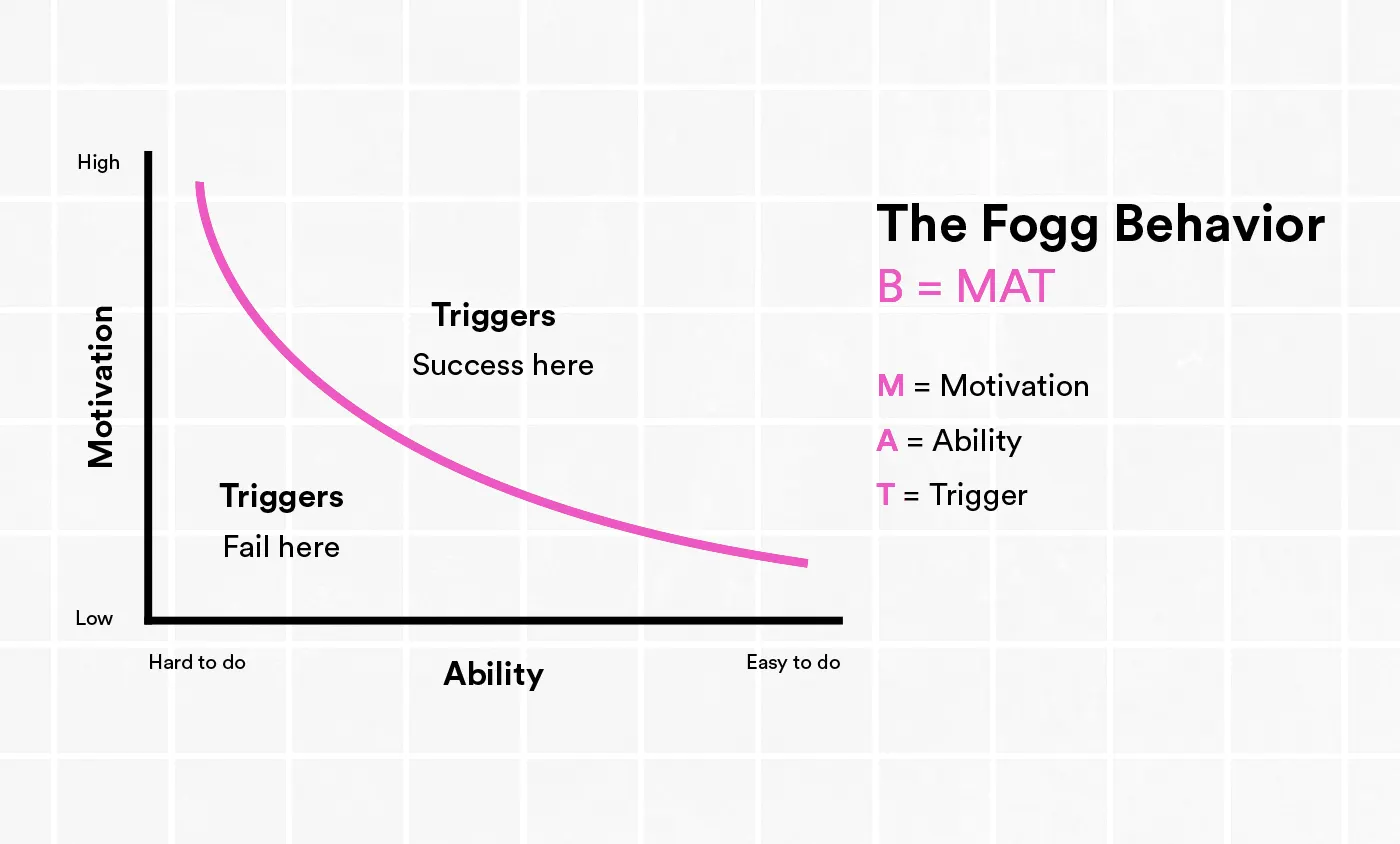
Therefore, Behavior occurs when users have a blend of motivation and ability. So, if motivation is low, increasing ability can help. Here are some strategies we can apply the Fogg Behavior Model in our design initiatives:
Simplifying Interfaces
Reduce the complexity of tasks by breaking them down into simpler steps.
Ensure that users can easily understand and complete actions with minimal effort.
Increasing Motivation
Use persuasive design techniques to improve user engagement.
Highlight benefits and value to maintain high motivation levels.
Effective Triggers
Design clear and timely notifications that prompt users at the right moment.
Utilize easy-to-find and understandable CTA buttons.
While the Fogg Behavior Model helps us design interfaces that encourage desired actions through transparency and simplicity, the “Black Box” problem highlights what happens when these principles are not applied.
Cognitive overload: the "Black Box" scenario
Our brains can only handle so much at once. As designers, we need to remember this. When we bombard users with too many choices or information all at once, we leave them confused and stuck. Things get even messier when we run into “black box” interfaces. These are like magic tricks — you push a button and something happens, but the user has no idea why. Without a clear understanding of how things work, it’s even harder for them to make sense of all that information we’re throwing at them.
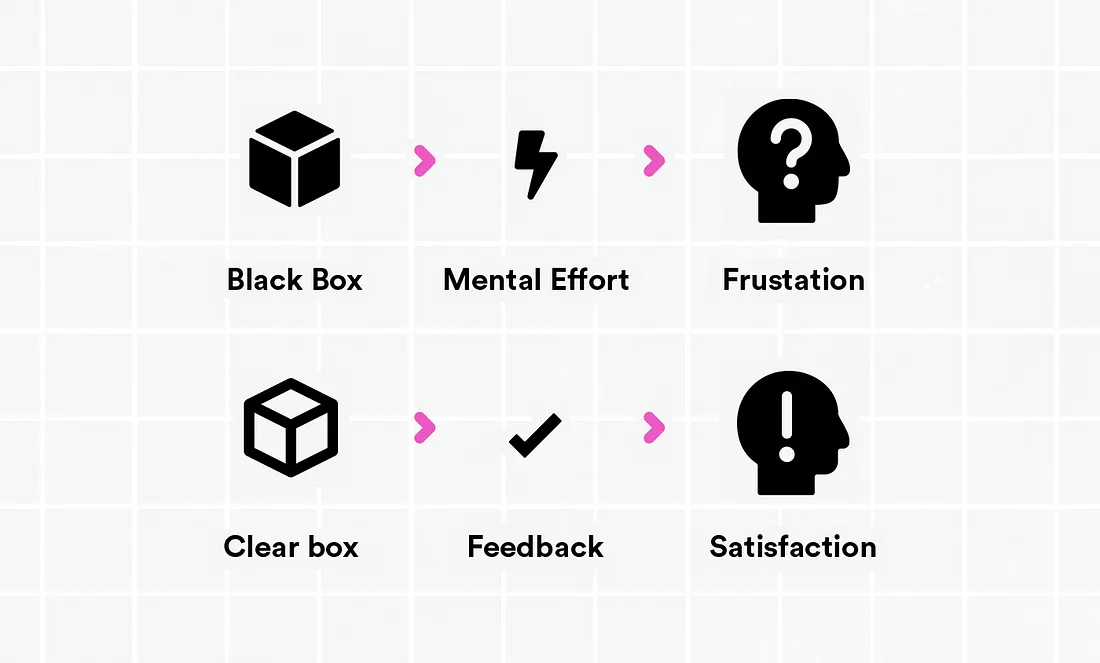
What if things were designed the other way? That’s where the “clear box” scenario comes in. Imagine an interface that’s like a good friend — it tells you exactly what’s going on.
The key thing here is feedback. When you take an action, the system should give you a clear thumbs up or thumbs down (or something in between!). This feedback should be immediate, easy to understand, and fit the situation. There are three main ways this can happen:
See it! — This is visual feedback — like a button lighting up when you click it, or a field turning green when you enter the right info.
Hear it! — Sometimes, sounds can be helpful. A chime might tell you you did something great, while a weird bloop could mean you messed up.
Read it! — Clear messages are your friend here. Instead of just showing a green checkmark, a message might say “Your file has been uploaded successfully.”
With all this feedback, you’ll never be left wondering “Did it work?” That certainty makes using the system a breeze!
Miller’s Law: Working Memory
Our brains are like backpacks — they can only carry so much stuff at once. Miller’s Law tells us that this backpack can hold, on average, around 7 things, give or take a couple. This plays a huge role in how we design interfaces.
If we throw too many choices at users at once, their brains get overloaded and frustrated. They can’t remember everything they need to consider, and making a decision becomes a chore.
Hick-Hyman Law: decision time
Imagine you’re starving and finally reach the front of the sandwich shop line, ready to conquer your hunger with a perfect sandwich creation. But instead of a smooth order, a rapid-fire barrage of questions assaults you:
“What kind of bread? What size? Any cheese? Toasted? Which veggies? What type of meat? Any sauce? Any extras like bacon or avocado? Cookie or drink? Make it a combo? Rewards member? Dining in or taking out? And how would you prefer to pay?” 😮💨
The sheer volume of choices explodes in your head. Paralyzed, you struggle to form a response, feeling the pressure with every impatient shuffle from the line behind you.
This overwhelming experience shows exactly how the Hick-Hyman Law works in real life. When we’re faced with too many options, it takes us longer to decide.
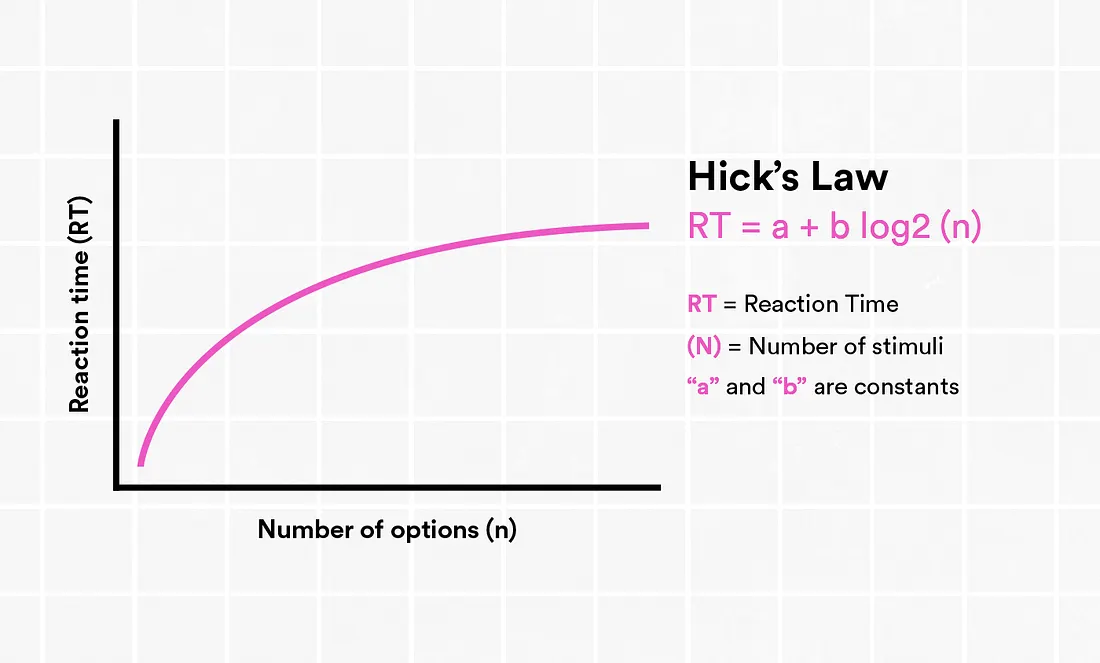
Based in this concept, we can infer that:
Reducing complexity decreases cognitive load.
Logical groups facilitate navigation.
Presenting important information clearly can minimize distractions.
Handling cognitive load
Cognitive load is the mental effort needed to get something done. Reducing it is essential for efficiency. Simplify interfaces, remove unnecessary elements, and provide immediate feedback.
Amber Case’s principles of “calm technologies” integrate smoothly into daily life, offering functionality non-intrusively, promoting a harmonious relationship between technology and humans.
Principles of Calm Technology
Creating effective user interfaces requires understanding and applying the fundamentals of calm technology.
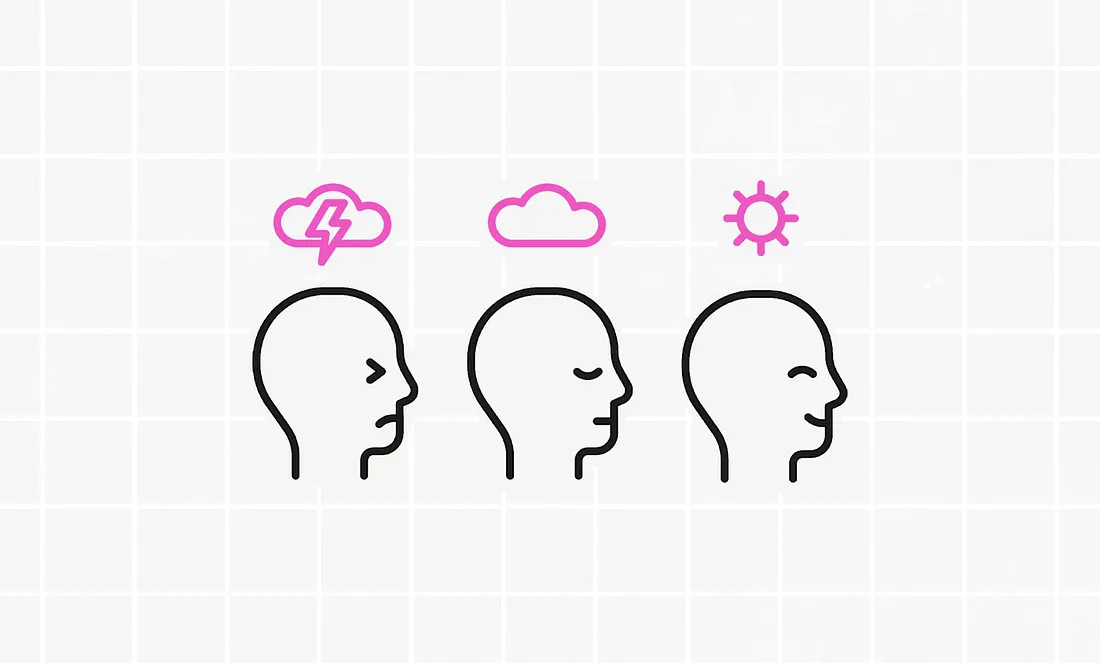
These principles guide designers in developing systems that integrate seamlessly into users’ lives, optimizing functionality without overwhelming them.
Clarity in communication: Clear communication avoids ambiguities. The interface should communicate its purpose and functionality directly. This applies from text in interfaces to icons and symbols used.
Consistency and recognizable patterns: Consistency helps users apply prior knowledge. Maintaining recognizable patterns in layout, colors, and typography helps create a cohesive and intuitive user experience.
Responsive feedback: Ensure every action has appropriate feedback. This can vary from simple animations to more complex messages, ensuring users understand their actions have been acknowledged and processed.
Minimizing cognitive load: Simplify processes and highlight key elements. This means simplifying processes, reducing the amount of presented information, and highlighting key elements so users can focus on what’s most important.
Predictability and intuition: Follow design conventions and use familiar elements. This involves following design conventions and using familiar elements that align with users’ mental models.
Flexibility and efficiency of use: Cater to both novices and experienced users with customizable interfaces. This is achieved by offering interface flexibility, such as shortcuts and customization, allowing experienced users to increase their efficiency.
Wrapping up
As a UX Designers, we can help people to navigate smoothly through the overwhelming amount of information. We can act as guides, simplifying complex topics and highlighting the most important details. By making things easier to understand, we can create things that are more enjoyable. This is the kind of design that puts people first, respects their limits, and makes technology easier to use.
References:
Cortiz, Diogo. Cognitive Science: How We Think and Make Decisions.Case, Amber. Calm Technology: Principles and Patterns for Non-Intrusive Design. O’Reilly Media, Dec 2015.Andrade, Mehgan; Walker, Neil. Cognitive Psychology Publication. Psy 126 — 'College of the Canyons' Publication.